Review Open eLMS and Earn up to $20
We appreciate the ongoing support our users provide for the Open eLMS suite.
As a token of our appreciation, we offer a $10 reward for each review you submit. This offer is limited to the first 25 reviews per site, so act fast.
Review the Open eLMS Learning Management System
And claim your $10 reward
Example Open eLMS Review – David Patterson, Learning Light
Open eLMS Capterra Review ($10 Reward)
Capterra is offering a $10 Amazon gift voucher for each review. Share your feedback via the link provided, and they will send the voucher directly to you.
Review Open eLMS Creator
And claim your $10 reward
Example Open eLMS Creator Review
David highlights Open eLMS Creator as an innovative, immersive authoring tool that simplifies the creation and deployment of interactive multimedia content.
The tool has evolved from its origins as Jackdaw into Open eLMS Creator, fully integrated with the Open eLMS Learning Management System.
This integration is a natural fit; both products share a philosophy of User-Centred Design—a core focus for the development team.
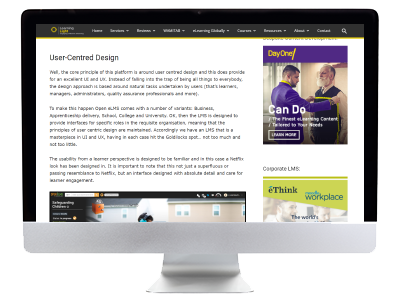
See User-Centred Design in action by exploring how to build a course in Open eLMS Creator.
Staging your eLearning in context
Open eLMS Creator enables you to create visually stunning eLearning, featuring 3D-effect templates and a library of over 1,000 backgrounds.
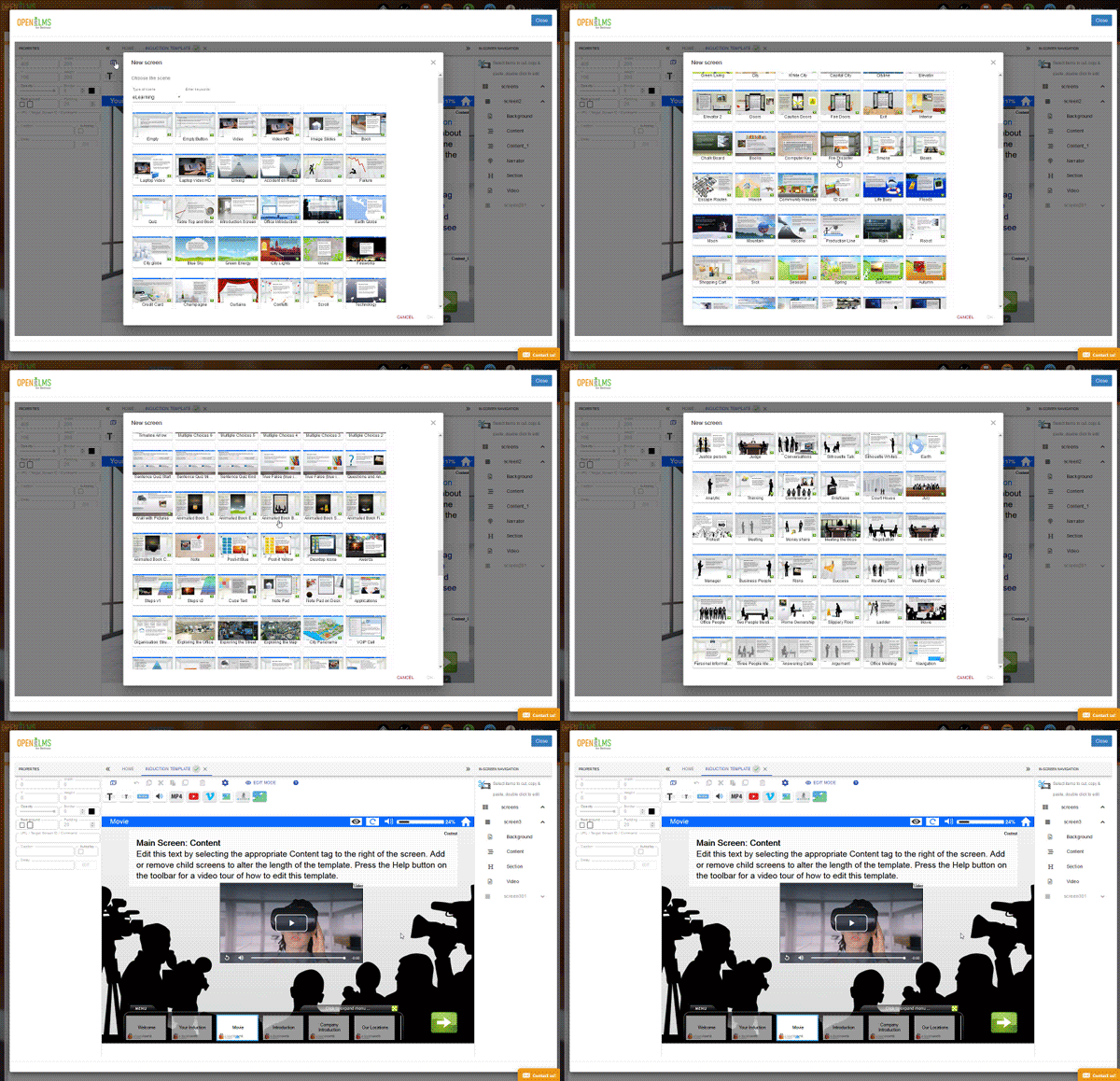
Adding a template to your learning
Whether it's an office or a railway station, these backgrounds provide a professional setting for your content. You can also upload your own images or videos to personalize the experience.
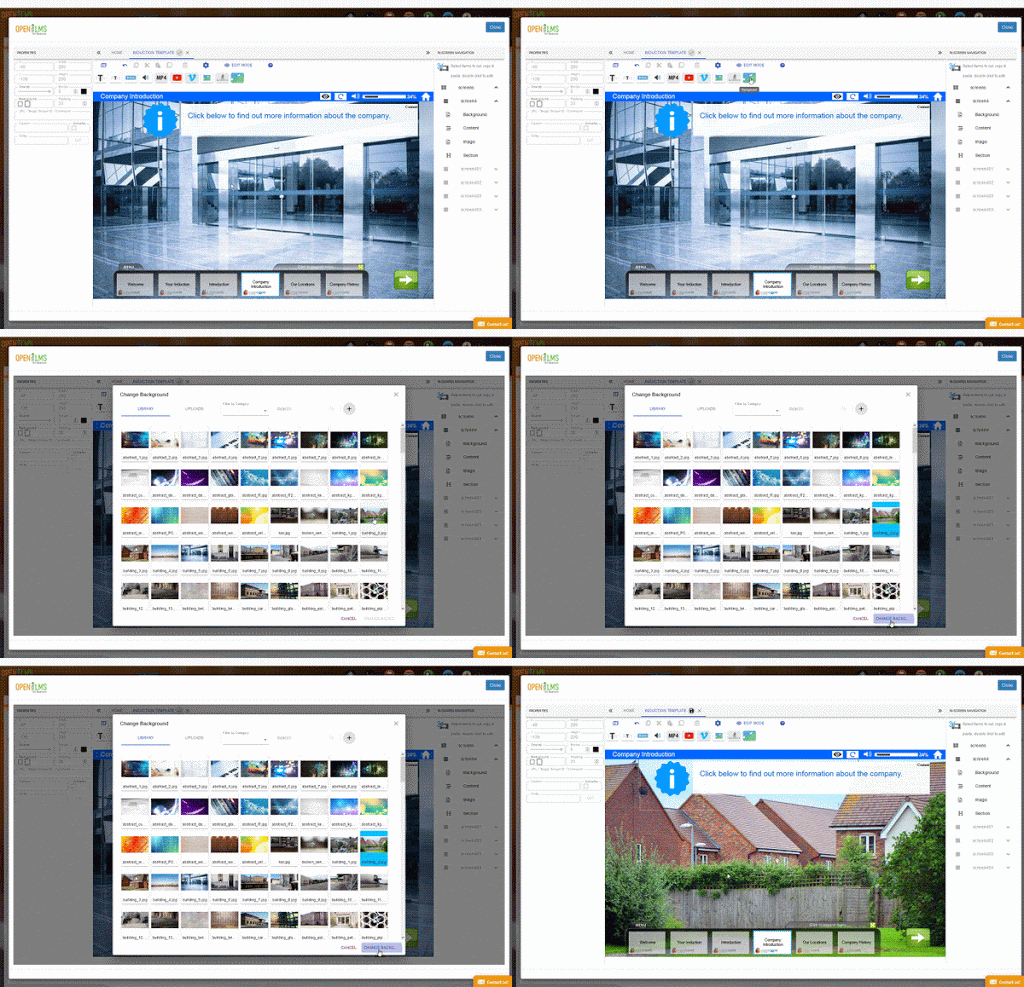
Uploading a background image
Open eLMS Creator also integrates with Envato Elements, providing access to over 5 million high-quality assets.
Adding a Narrator
Add an actor-narrator to boost engagement. Choose from six built-in avatars or create a bespoke narrator using your own green-screen footage.
Narrators include a library of pre-defined phrases that add a realistic touch—a feature refined over two decades of development.
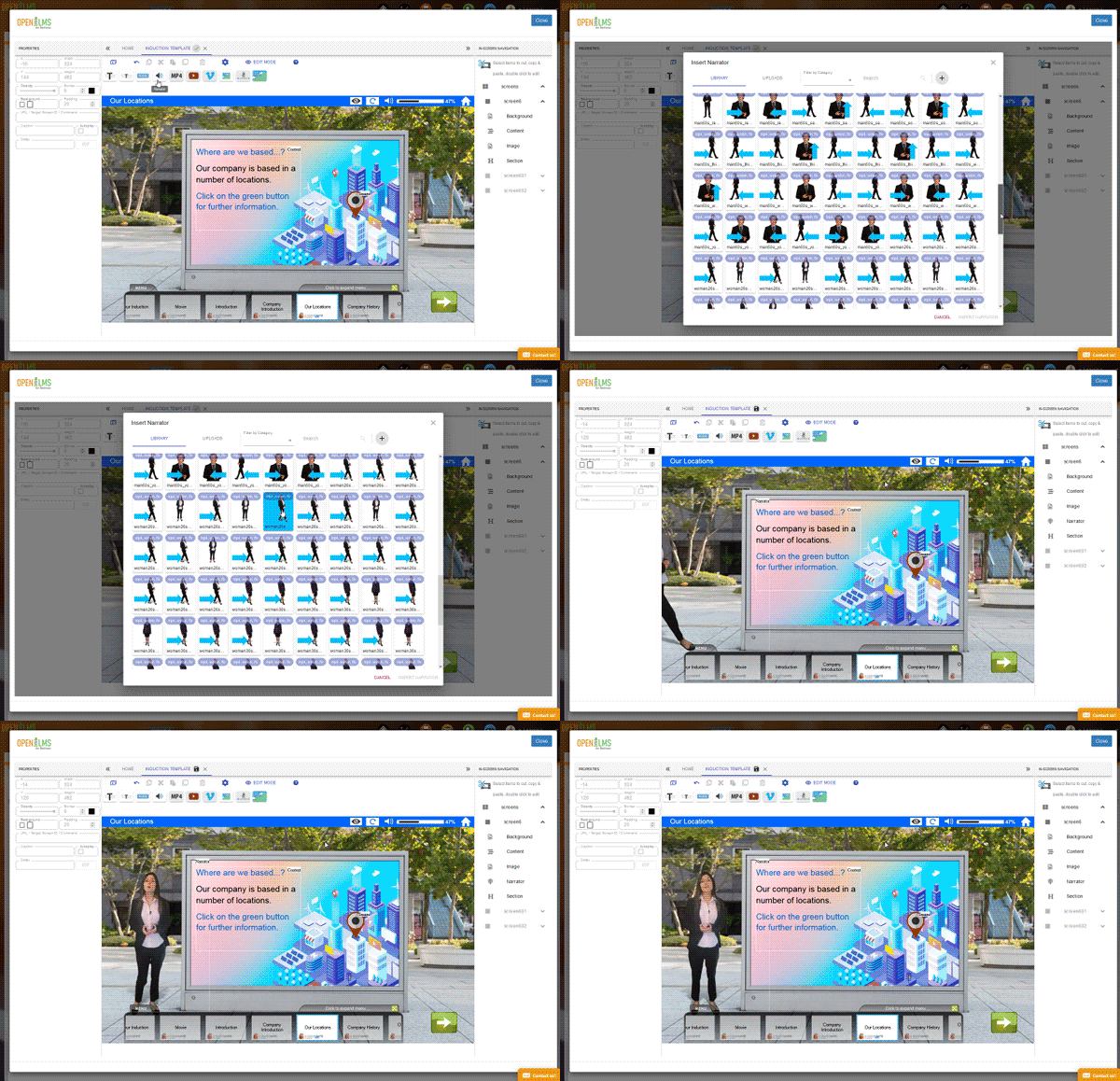
Inserting a video presenter
Interactions
Once your stage and actor are set, adding interactions is straightforward. For example, your narrator can introduce a topic before a video plays on a screen within the virtual environment.
Add interactive pop-ups to equipment or objects within the scene. You can even add narration and personality to these elements using AI.
Open eLMS Creator utilizes Amazon Alexa integration to achieve this effectively.
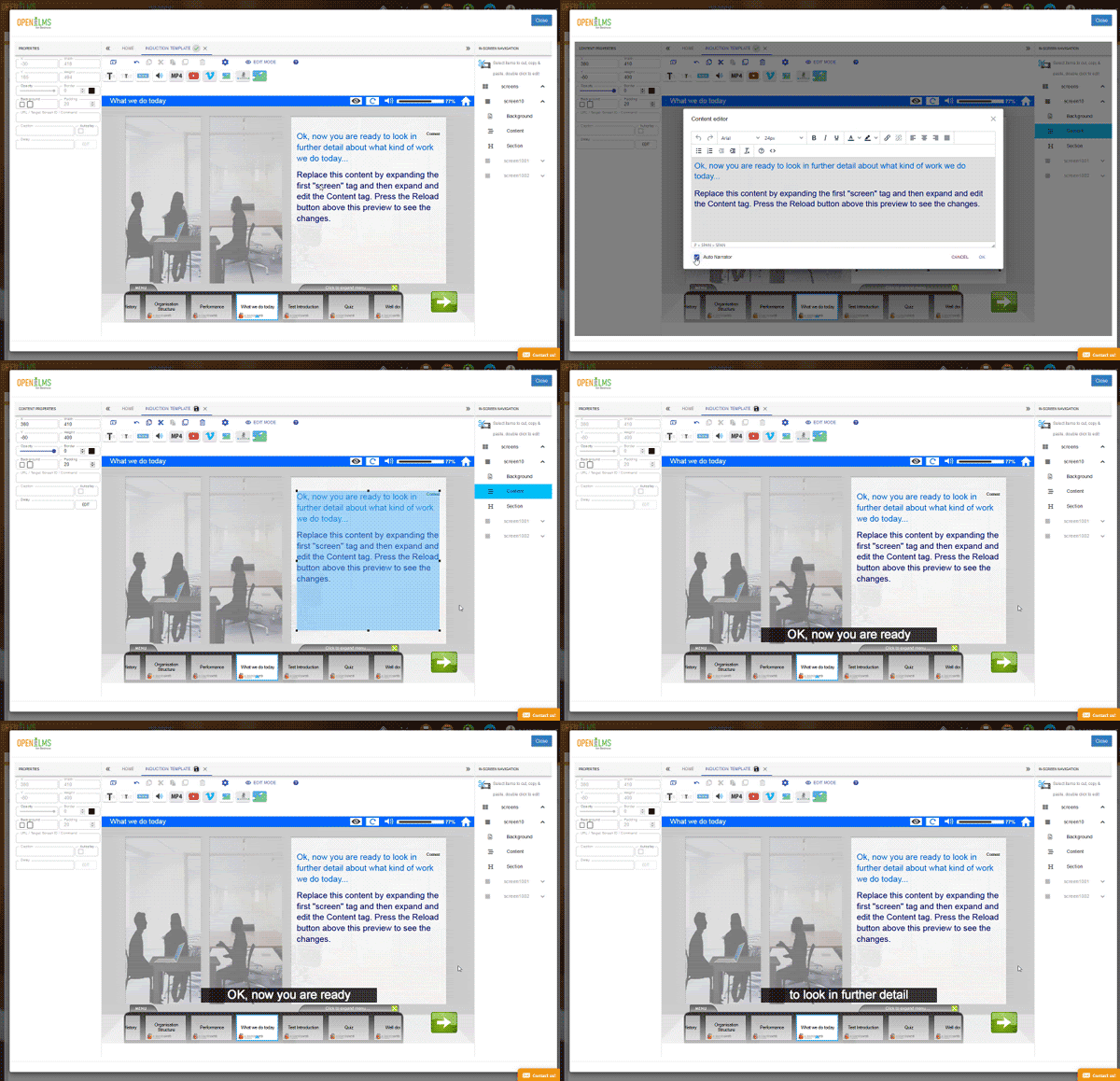
Adding auto-narration
AI-Powered Audio Integration
Simply write your script and the AI-driven Alexa integration handles the narration. Choose from various languages and regional accents to give your content a unique personality. (Note: This integration is separate from the video narrator feature).